
Generate cinematic video clips with AI: Everyone has seen the demos. A text prompt typed into a box, and out comes a clip of a golden-hour desert scene, or a slow-motion product shot, or a cinematic sequence of a city street at night that nobody actually filmed.
It looks impressive in a LinkedIn post. But the questions that matter are different: Does it actually hold up in a real production? Can you control it enough to match a brand’s visual language? Does it integrate cleanly with real footage? And is the workflow practical — or is it a creative toy that eats time and produces unpredictable results?
We’ve been working with AI video generation tools at Cybertize Media Productions across real client projects — ad films, brand content, social media campaigns, and more. Here’s an honest account of how it actually works, what the current tools can and can’t do, and where this fits into a serious production pipeline.
Top Cybertize Offerings
Our comprehensive Media & Tech Services in India offerings include:
| Service Category | Specific Services |
|---|---|
| Film Production | Film, Web Series, Short films, Cinematic Films, IG Reels, Ad Films |
| Animation Production | 2D animation, 3D animation, Walkthrough, Medical Animation, Explainer Videos |
| Software Development | CMS (Content Management Softwares), On Demand Software, Edtech, SaaS Portals, ERPs, Cloud Infra, AWS, Azure |
| SEO & Content Marketing | Blog writing, video production, infographics, email marketing, white papers, case studies, On Page SEO, Link Building |
| Web Development | Website design, responsive development, e-commerce, CMS implementation, site optimization |
| AI / ML | Artificial Intelligence / Machine Learning |
Generate cinematic video clips with AI:
Why AI Video Generation Exists and Why It’s Growing Fast
The basic problem AI video generation solves is simple: shooting footage is expensive.
You need a location. You need permits. You need a crew. You need equipment. You need talent. You need weather to cooperate if you’re outside. You need all of this to come together on the same day, on budget, and produce footage that looks the way the concept demands.
Generate cinematic video clips with AI: For every production house and every brand that creates video content, there are shots on the wishlist that get cut because the budget or logistics don’t support them. The establishing shot from a helicopter. The product shown in a setting that would cost ₹3 lakhs in location fees. The atmospheric B-roll that the edit needs but wasn’t covered on shoot day.
AI video generation is, in the first place, a solution to the gap between what a production needs and what the shoot day could provide.
But it’s evolved well beyond gap-filling. The best current tools can generate footage of sufficient cinematic quality that — used correctly — it integrates seamlessly with real camera footage in a finished piece. And for certain types of productions, the generated footage is the production. No camera, no crew, no location — just a well-directed prompt and a skilled operator who knows what they’re doing.
The Tools That Actually Matter Right Now
Let’s talk specifically about the tools that are relevant for real production work in 2025. This space moves fast — tools that were leading six months ago get leapfrogged, and tools that looked like toys suddenly produce broadcast-quality output. Here’s where things stand.
Runway ML (Gen-3 Alpha and beyond)
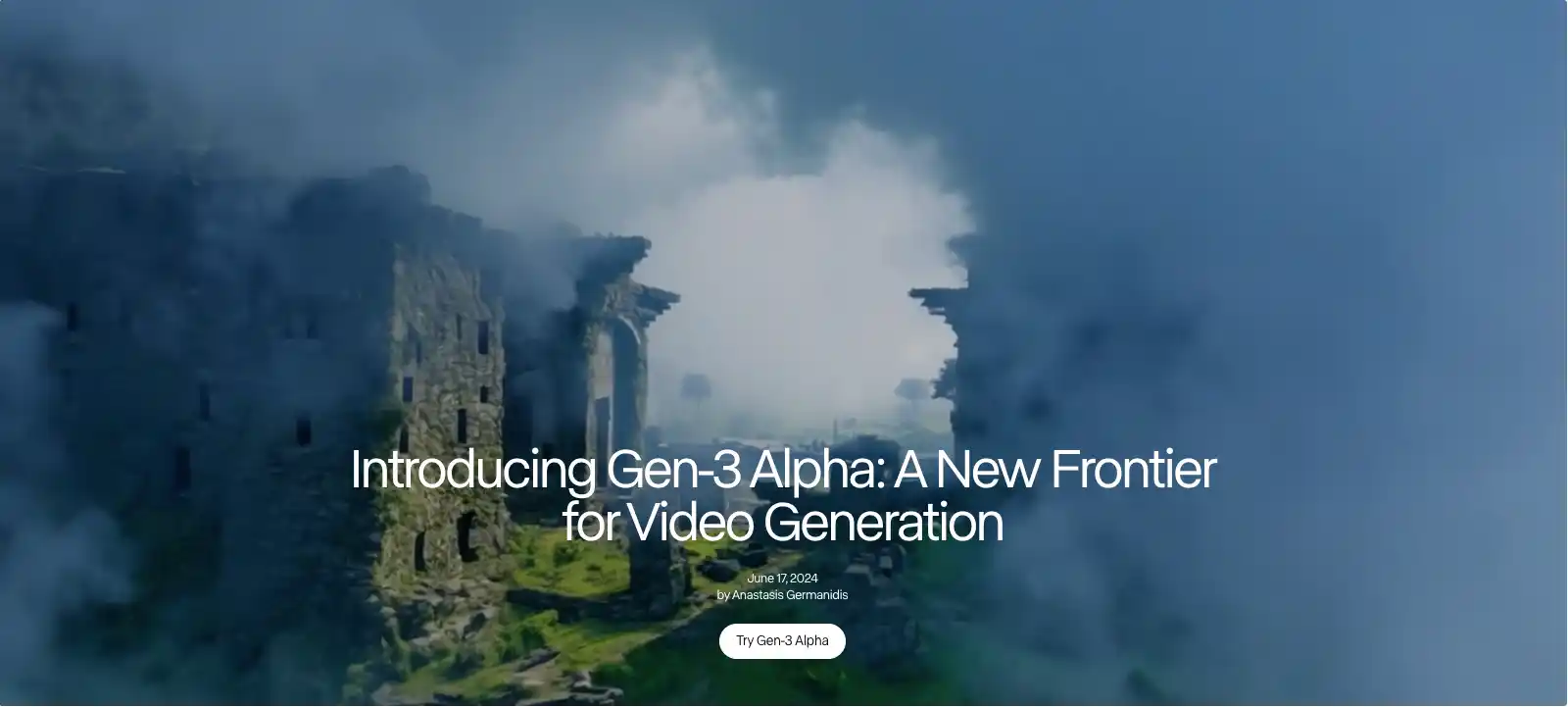
Runway is the professional’s tool in this space. It’s been through multiple generations and the current Gen-3 Alpha output is genuinely cinematic when used correctly. Runway handles text-to-video generation, image-to-video (where you provide a reference image and it animates it), and video-to-video (where you apply style or motion transformations to existing footage).
For production work, Runway’s image-to-video capability is particularly powerful because it gives you control over the starting frame. You can generate or source a specific still image that matches your visual requirements — lighting, composition, subject, color — and then have Runway animate it. This is a more controlled workflow than pure text-to-video, and it produces more predictable results.
Runway’s camera controls (dolly in, pan, orbit, handheld simulation) add another layer of direction that makes generated clips feel intentionally shot rather than randomly rendered.
Best for: Atmospheric B-roll, abstract sequences, environment shots, brand-tone-matched filler footage, stylized content.
Sora (OpenAI)

Generate cinematic video clips with AI: Sora created significant noise when it was first announced, and for good reason — its understanding of physics, consistency across a clip, and the coherence of its generated worlds were a significant step above what existed before it.
The practical limitation has been access and control. For production pipelines that need consistent, directable results, Sora’s current interface requires more prompting experimentation to get predictable outputs than Runway’s more structured toolset. That said, the ceiling on Sora’s output quality is high. When it works, it looks like something that was actually filmed.
Best for: Long-form atmospheric clips, nature and landscape footage, cinematic sequences where photorealism is the priority.
Generate cinematic video clips with AI: Kling AI
Kling, developed by Kuaishou in China, surprised the industry with the quality of its motion handling — particularly human movement and physical interaction with objects. Earlier AI video tools had a characteristic “AI wobble” to human subjects that immediately read as artificial. Kling made significant progress on this, which matters enormously for any production that needs people in the generated footage.
Kling also introduced a 1080p output option that makes it practically usable in production without heavy upscaling.
Best for: Clips featuring human subjects, product interaction shots, lifestyle content where naturalistic human movement matters.
Pika Labs
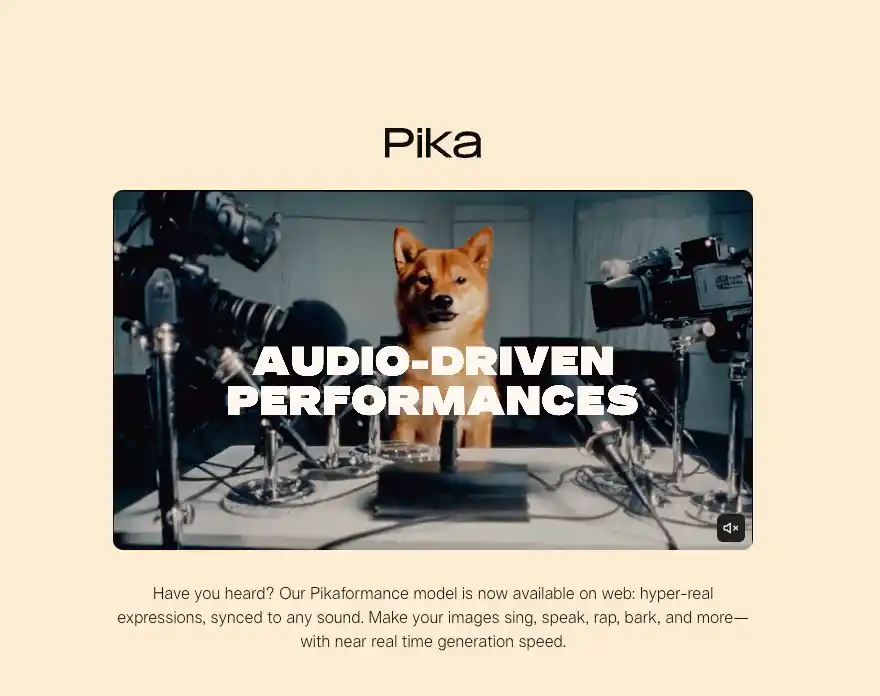
Pika sits between a creative tool and a production tool. It’s fast, its interface is accessible, and its recent updates have improved output quality considerably. Pika’s “pikaffects” features — adding specific motion types to still images — make it useful for quick social media content and motion graphic-adjacent work.
For high-end ad film production, Pika is typically a secondary tool rather than primary. But for social media content, short-form reels, and rapid iteration on concepts, it earns its place in the workflow.
Best for: Social media content, concept visualization, motion-enhanced stills, quick-turnaround content.
Stable Video Diffusion and Open Source Options
For production houses that need offline generation (for client confidentiality or bandwidth reasons) or need to run high volumes of generations without per-clip API costs, Stable Video Diffusion and related open-source models running locally are a real option. Quality is a step below the leading commercial tools, but control over the workflow is complete.
At Cybertize, we evaluate the tool against the project requirement. There is no single “best” tool — the right choice depends on what the clip needs to look like and what role it’s playing in the final piece.
The Actual Workflow: How We Generate Cinematic Clips | Generate cinematic video clips with AI
This is the part most articles skip. They show impressive outputs but don’t explain the process that produced them. Here’s how a real AI video generation workflow looks for production use.
Step 1: Shot Design Before Prompting
The biggest mistake beginners make with AI video generation is treating it like a search engine — type something descriptive and hope for the best. This produces inconsistent, hard-to-control results and a lot of wasted generations.
A professional workflow starts with shot design the same way a traditional shoot does. What is the shot? What is its purpose in the edit? What’s the camera position, angle, and movement? What time of day, what quality of light, what color temperature? What is in the foreground, midground, and background?
Once these decisions are made, the prompt is built around them — not the other way around. The output quality difference between a casually written prompt and a shot-designed prompt is dramatic.
Step 2: Reference Gathering
Before generating anything, collect visual references — stills from films, photography, or previous generations — that capture the look you’re after. These references inform the language of your prompts and, in tools like Runway that accept image input, can directly anchor the generation to a specific visual starting point.
If you’re generating clips that need to integrate with real footage shot on a specific camera and with a specific look, your reference imagery should include frames from that actual footage. You’re essentially teaching the tool what the visual world of this project looks like.
Step 3: Prompting with Cinematographic Language
Generate cinematic video clips with AI: AI video generation tools respond well to specific cinematographic terminology. Prompts that use lens language (“shot on 35mm anamorphic, shallow depth of field, slight lens flare”), lighting language (“golden hour backlight, warm practical lights in background, face in soft diffused shadow”), and camera movement language (“slow dolly forward, slight camera drift, handheld with gentle breathing”) produce more directable and more cinematic results than general descriptive language.
This is not accidental — these tools were trained on footage that cinematographers described using these terms. Speaking their language gets better output.
Step 4: Generate, Evaluate, Iterate
Generate cinematic video clips with AI: Plan to generate multiple versions of any shot. Even with a well-crafted prompt, AI generation has a stochastic element — the same prompt will produce different outputs across runs. Generate three to five versions, evaluate them against the shot requirement, and either select the best or refine the prompt based on what you’re seeing.
Common refinements include adjusting the camera movement speed, changing the subject’s position in frame, altering the depth of field description, or modifying the lighting language to get closer to the reference.
This iteration loop is faster than it sounds in practice — a generation run in most tools takes 30 seconds to 3 minutes depending on length and quality setting. You can iterate meaningfully within an hour on a complex shot.
Step 5: Upscaling and Enhancement
Generate cinematic video clips with AI: Most AI-generated clips come out at resolutions between 720p and 1080p at current generation quality. For broadcast or high-quality digital distribution, you’ll typically want 4K delivery. Topaz Video AI is the industry standard for AI-based upscaling of generated content — it handles the texture and motion characteristics of AI-generated footage better than general upscalers.
Beyond resolution, sharpening, noise reduction, and motion deblurring passes in Topaz can elevate the perceived quality of generated footage significantly before it even enters the edit.
Step 6: Color Integration
This is where a lot of AI-generated footage fails in amateur productions — the generated clips don’t match the color world of the real footage they’re being cut with. Even if the generated clip looks good in isolation, a cut from real camera footage to an AI-generated clip with different color temperature, contrast, and saturation immediately reads as a discontinuity.
Generate cinematic video clips with AI: Professional color integration means treating generated clips in DaVinci Resolve or a similar grading tool the same way you’d treat footage from a different camera — pulling the exposure and white balance to match, applying a LUT or manual grade to align the color palette, and adjusting contrast to match the overall look of the piece.
When done correctly, a viewer cannot distinguish which shots in the finished film were generated versus shot with a camera. That’s the standard we work to at Cybertize.
Where AI-Generated Clips Are Actually Being Used in Production
Here’s a specific breakdown of the production scenarios where we use AI-generated video most often.
B-Roll and Atmosphere
This is the most common use case and the lowest-risk one. When an edit needs an additional establishing shot, an environmental mood clip, or an atmospheric transition, AI generation is often faster and cheaper than organizing a pickup shoot. The bar for B-roll in terms of integration scrutiny is lower — audiences don’t examine it as closely as hero shots — which means generation quality requirements are more forgiving.
Product in Environment Shots
Generate cinematic video clips with AI: Placing a product in a specific environment — a luxury bathroom, a rooftop bar, a minimalist kitchen — often requires expensive set builds or location bookings. AI generation, particularly with Runway’s image-to-video starting from a well-composed product still, can create product-in-environment footage that reads as genuinely shot. For brands producing social media content at volume, this changes the economics of how much visual variety they can afford.
Concept and Mood Visualization
Before a production is even confirmed, AI-generated video is being used to visualize how a finished film could look. Instead of static mood boards, a production house can generate moving reference clips that demonstrate camera movement, lighting tone, and visual style. This makes client approval more confident and reduces the chance of a mismatch between expectation and execution.
Stylized and Abstract Brand Sequences
Generate cinematic video clips with AI: For tech brands, fashion brands, and premium consumer products, the ad film brief often includes sequences that are deliberately abstract — visual metaphors, brand world explorations, conceptual imagery that doesn’t correspond to real-world events. AI video generation excels here because there’s no real-world photographic reference to compare it against. The output is judged purely on whether it looks compelling and brand-appropriate. The best current tools produce sequences for these applications that would have required significant VFX budget to achieve otherwise.
Social Media Content at Scale
Generate cinematic video clips with AI: A single shoot day of real footage can now be extended dramatically by using AI generation to create additional clips in the same visual style. If you’ve established a look for a brand’s social presence, AI tools can generate new content that matches that look without requiring a new shoot. For brands that need to produce reels and short-form content continuously, this changes the cost structure significantly.
The Integration Test: When AI Footage Passes as Real
Here’s a framework we use internally to evaluate whether a generated clip is ready for a production:
The still-frame test. Pause the generated clip at a random frame. Does it look like a photograph that could have been taken? If the answer is no — if it has the characteristic soft, slightly unreal texture of early AI generation — it’s not ready without enhancement work.
The motion test. Play the clip and watch only the movement. Does motion feel physically plausible? Do any elements have the characteristic AI “drift” where objects move in ways that don’t correspond to how they’d move in the real world? Motion artifacts are the most common giveaway.
The integration test. Cut the clip into the edit between real footage. Watch the sequence without focusing on the clip in question. Does anything signal the discontinuity? If yes, identify whether it’s a color issue, a texture issue, or a motion issue, and address that specifically.
Clips that pass all three tests are production-ready. In our experience with current tools — Runway Gen-3, Kling, and Sora specifically — a significant proportion of well-prompted generations pass this test, particularly for wide shots, atmospheric content, and non-human-centered clips.
What AI Video Generation Cannot Do Yet
Being direct about this matters.
Extended coherent narratives. Most current tools generate clips of 4–10 seconds reliably. Maintaining subject consistency, scene consistency, and narrative logic across a sequence of clips — in the way a real scene is shot — is still a significant challenge. The technology is moving toward this, but it’s not there yet for complex narrative requirements.
Specific real faces. AI video generation cannot reliably produce a specific real person’s face with the accuracy and consistency needed for a production where a named talent is the subject. This remains a filmed photography and VFX compositing challenge.
Fine physical detail under scrutiny. Close-up shots of hands interacting with objects, detailed facial expressions in tight close-up, precise product detail shots — these are areas where current generation quality often shows limitations under close examination. For hero product shots and emotion-driven close-up performance, real camera work is still the right answer.
Guaranteed brand consistency across sessions. Generating a clip that matches a very specific brand visual standard reliably across multiple generation sessions is still more workflow-intensive than it should be. This is improving with tools that accept style references and image conditioning, but it requires careful management.
Cybertize Media Productions: How We Build This Into Real Projects
Our teams across Delhi, Mumbai, Kolkata, Bangalore, Patna, Noida, and Chandigarh work with AI video generation as a core production capability — not a novelty. When we take on an ad film or brand content project, the production plan identifies from the outset which shots are candidates for AI generation, which require real camera work, and how the two will be integrated in post.
Generate cinematic video clips with AI: This isn’t about cutting corners. A well-placed AI-generated shot in a brand film that the client couldn’t have afforded to shoot is not a compromise — it’s a production decision that delivered something better than what the budget would otherwise have produced.
The skill is in knowing the difference. Knowing which shots AI handles well. Knowing when the generation is good enough and when it needs more work. Knowing how to color integrate so the seam is invisible. That knowledge comes from working with these tools across dozens of projects — not from watching demo reels.
If you’re a brand looking to produce video content that needs to look more ambitious than your budget traditionally allows — that conversation starts with understanding what AI generation can do for your specific brief. Come talk to us.
The Bottom Line : Generate cinematic video clips with AI
Generating cinematic video clips with AI is real, it’s practical, and it’s being used in production right now — not in a lab, not in a proof-of-concept. In real brand films, real ad campaigns, and real content pipelines.
The gap between AI-generated footage and camera-shot footage is closing fast. For a significant range of shot types, that gap is already small enough to be invisible to a viewer. For others, the camera is still irreplaceable.
The production houses winning with this technology aren’t the ones who replaced their camera crews with AI prompts. They’re the ones who learned how to combine both — using each where it performs best — and built the workflow knowledge to make them work together invisibly.
That’s the craft. And it’s what we bring to every project.
Cybertize Media Productions | AI Video Production | Ad Films | Brand Films | Corporate Films Serving: Delhi | Mumbai | Kolkata | Bangalore | Patna | Noida | Chandigarh