
Table of Contents
Blend AI-Generated Visuals: Creating a video often means combining footage from different sources to tell a complete story. Interviews, product shots, location footage, and AI-generated visuals can all play a role in the final production. The challenge is making these elements work together naturally, so the finished video feels like one complete piece.
AI-generated visuals can help explore concepts, create transitions, or add imagery that would be difficult to capture. Real footage remains essential when showing actual people, products, places, or events. The key is knowing where each type of footage belongs and how to bring them together through consistent lighting, movement, and visual style.
Start With the Story, Not the AI Tool
Before generating visuals or planning a shoot, the production team should understand what the video needs to communicate.
A product commercial may need demonstrations, while a documentary depends on interviews and location footage. An advertisement might use abstract imagery to communicate an idea.
The brief should establish the audience, message, intended platforms, and scenes that need to be filmed. It should also identify where generated visuals could support the story without replacing important real footage.
Every scene should have a clear purpose, whether it is filmed or generated. Adding AI-generated footage simply because it looks impressive can distract viewers and weaken the message.
Also Read | 5 Best AI Video Editing Tools for Brands and Marketing Teams
Explore Visual Concepts Before Filming
Before filming begins, production teams often compare scene ideas, visual styles, and possible compositions. AI-generated video can make these early concepts easier to visualise.
Filmmakers and creative teams can turn written scene descriptions or scripts into initial video drafts. These references can help communicate the intended mood and creative direction before committing to locations, equipment, and shooting schedules.
A travel production might compare landscape shots with close-ups of local food, helping the director decide what needs location filming.
These drafts can guide creative discussions and early production decisions, but they should not replace detailed planning. Generated scenes may contain inaccuracies or inconsistencies, so teams should review them carefully before including them in a final film.
Plan How AI-Generated and Real Footage Will Work Together
AI-generated and real footage should be considered together during pre-production rather than brought together only during editing.
A storyboard or shot list can identify each scene’s source and how shots connect. Real footage may carry interviews and demonstrations; generated visuals may support abstract sequences or difficult-to-capture environments; stock footage can establish context.
Planning the connections between shots is equally important. If live-action footage uses natural lighting and slow camera movements, a generated scene with dramatic motion may feel out of place. Teams should consider framing, movement, lighting direction, and colour palette when developing visual references. They can also note the intended shot size and duration, so a generated close-up does not unexpectedly replace a wide establishing shot. This simple planning step helps the editor maintain a clear visual rhythm.
Continuity matters when people or objects recur. Changes in appearance, proportions, or physical details can interrupt a sequence, so identify these issues early.
Make the Most of Existing Footage in Post-Production
Shoots often produce more material than a final video needs. Interviews contain several useful answers, while product shoots generate alternate angles and close-ups. Reviewing this material and identifying the right shots can take considerable time, particularly when multiple versions are required.
AI-assisted editing can help production teams organise footage, identify useful shots, and prepare an initial sequence. Editors can then refine the results on a timeline rather than building every part of the first cut manually.
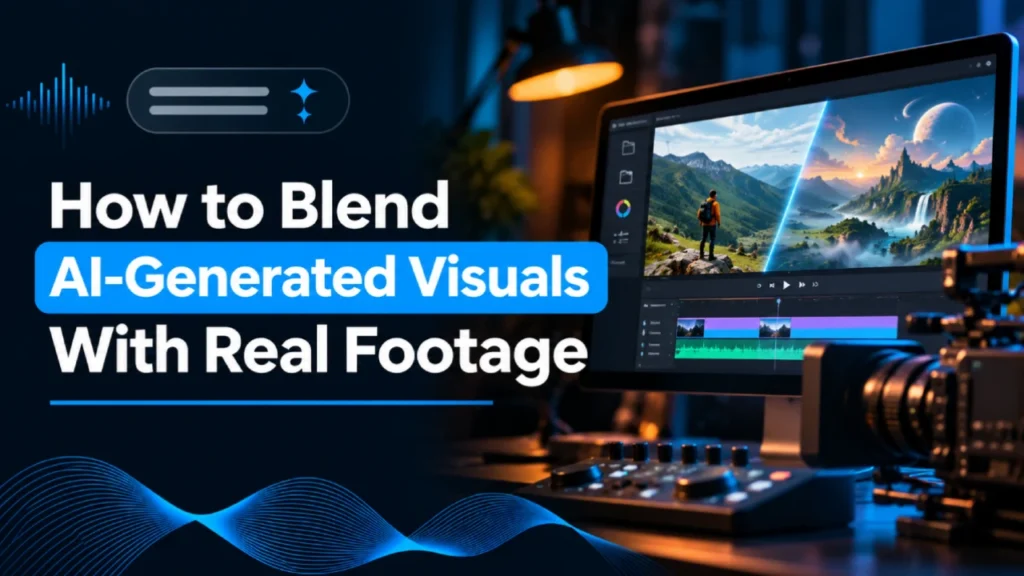
invideo Editor helps bring different visual elements together within a single editing workflow. Its built-in AI agent can review uploaded recordings, identify relevant shots, and assemble an initial sequence. When additional footage is needed, editors can generate AI B-roll or source suitable stock clips to fill gaps in the story. The footage can then be added to the editable timeline alongside the original recordings, allowing editors to refine the sequence without arranging another shoot.
The editor still makes the final decisions about shot selection, pacing, and story structure. Every sequence should be reviewed to ensure the footage preserves the intended message and emotional direction.
Also Read | AI Music Generators for Film and Advertising in 2027: What We Use, and When We Don’t
How Do You Make AI-Generated and Real Footage Look Consistent?
The goal is not identical shots, but intentional differences. Lighting, colour, movement, texture, and sound all contribute to continuity.
Match Lighting and Colour
Compare adjacent clips’ lighting direction and colour temperature. Cool generated daylight may clash with warm studio footage; grading can adjust temperature, exposure, contrast, and saturation.
Grading cannot fix every mismatch. If shadows or light direction look unrealistic, regenerate the shot. Keep skin tones and product colours consistent.
Keep Camera Movement Consistent
Fast generated movement can interrupt slow footage, while a sudden change in direction can make adjacent clips feel disconnected.
Compare movement speed, direction, camera height, and framing. A deliberate cut can make an intentional change feel natural.
Check Visual Texture and Sound
Sharpness, motion blur, grain, and depth of field can expose differences between generated and filmed footage. Some shots may need adjustments, while others are better regenerated. Review the footage at full resolution and in the formats viewers will see, as visual inconsistencies may become more noticeable on larger screens.
Audio can connect different visual styles. Consistent music, ambience, dialogue levels, and effects help; a sound bridge can carry flowing-water audio from a real product shot into an abstract sequence.
Prepare Different Versions for Each Platform
A brand film may need versions for websites, social media, and advertising, each with different aspect ratios and durations.
Cropping widescreen footage can remove product labels, faces, or text, so teams need to adapt the composition rather than simply cut away parts of the frame.
Editors can create shorter versions of the original film, adapt aspect ratios, and reposition important elements for different platforms. AI-assisted editing tools can help with these adjustments while keeping the video editable.
Each version should be checked to ensure that product labels, faces, captions, and logos remain visible. Typography, colours, and other brand elements should also remain consistent across formats.
Review each format for cropping, captions, audio, and export settings. Check that the opening communicates the subject quickly, since viewers may encounter a cutdown without seeing the full-length film.
Also Read | Generative AI for Ad Film Pre-Production: What Brands Need to Know for 2026 – 2027
Review the Video Before Publishing
Check that the video follows the brief and represents people, products, and events accurately.
Inspect generated scenes for unusual shapes, inconsistencies, or misleading details. Compare packaging and logos with approved references.
Check usage rights for stock footage, music, voices, and generated assets. AI does not remove licensing, consent, or disclosure responsibilities. Keep source files and approval notes where needed, so the team can verify which assets were used and whether the final edit meets the campaign requirements.
When Real Footage Should Lead
Generated visuals are not appropriate for every scene. Product demonstrations should show the actual product, testimonials should represent real people accurately, and documentaries should not present invented scenes as genuine events.
AI can support these productions with abstract imagery, but should not create false evidence. Use generated footage for creative possibilities and real footage where accuracy and trust matter.
Blend AI-Generated Visuals With Real Footage, Concluded:
Blending AI-Generated Visuals and real footage starts with deciding what to film, what to generate, and how each scene serves the story.
Generated visuals expand creative possibilities; live-action footage provides authenticity. Consistent lighting, movement, colour, sound, and review help unite them without compromising credibility.
Frequently Asked Questions
Can AI-generated footage be combined with real video?
Yes. Editing, colour matching, consistent movement, and sound design can connect generated scenes with recorded footage.
How can editors make AI-generated footage look consistent with real footage?
Compare lighting, colour temperature, sharpness, motion blur, framing, and camera movement. Regenerate shots that cannot be corrected effectively.
Can AI help edit existing footage?
Yes. AI-assisted tools can review recordings, identify useful shots, and prepare an initial edit. Invideo Editor supports this process with AI editing agents that can assemble rough cuts, while its editable timeline allows editors to refine the sequence manually.
When should real footage be preferred?
Use real footage for product demonstrations, testimonials, events, and genuine people or locations. Generated visuals suit creative or abstract material.